The 7 Best Front Alternatives: Detailed Comparisons


If you're a current Front customer looking for a new tool for customer support or email management, we've put together this list of the seven best Front alternatives to help you create a shortlist of options to consider.
Since you're likely already a Front user and familiar with the basics of customer support software, we're not going to walk through each platform's features in great detail. Instead, we've focused more on helping you understand how each tool differs from Front to make it easy for you to find the right choice.
At Help Scout, we only publish deeply researched, human-written content. If you find our content to be as helpful as we strive to make it be, you can set us as a preferred source in Google so you'll see our content surfaced more often when you're searching.
| Platform | Summary | G2 Rating | Free Trial | Starting Price |
|---|---|---|---|---|
Help Scout | Best for reducing the cost of your support software, Help Scout offers the same channels and a nearly identical feature set as Front but at a meaningfully lower cost. | 15 days | Free plan available; paid plans start at $25/user per month | |
Gmelius | Best for email-only professional services teams, Gmelius adds support features to your Gmail collaborative inbox and lets you manage personal and team email. | 7 days | $25/user per month | |
Drag | Best for internal support teams, Drag is a low-cost option that's not quite as feature-rich as other alternatives but is well-suited for simple email collaboration. | 7 days | $12/user per month | |
Kustomer | Best for omnichannel support, Kustomer lets teams deliver support across all channels and build multiple AI agents that handle very specific types of requests and workflows. | Not available | Contact for pricing | |
Intercom | Best for scaling automated support, Intercom's AI agent can answer customers' questions automatically across all channels, including email, chat, voice, SMS, and Slack. | 14 days | $29/seat/month | |
HubSpot Service Hub | Best for customer success teams, HubSpot Service Hub includes traditional support features alongside books of business, customer portals, and customer health scoring. | 14 days | Free plan available; paid plans start at $7/seat per month | |
Pylon | Best for providing support on messaging channels, Pylon lets you manage requests from Slack, Microsoft Teams, Discord, WhatsApp, and Telegram in a shared inbox. | Not available | $59/seat per month |
1. Help Scout – Best for reducing the cost of your support software

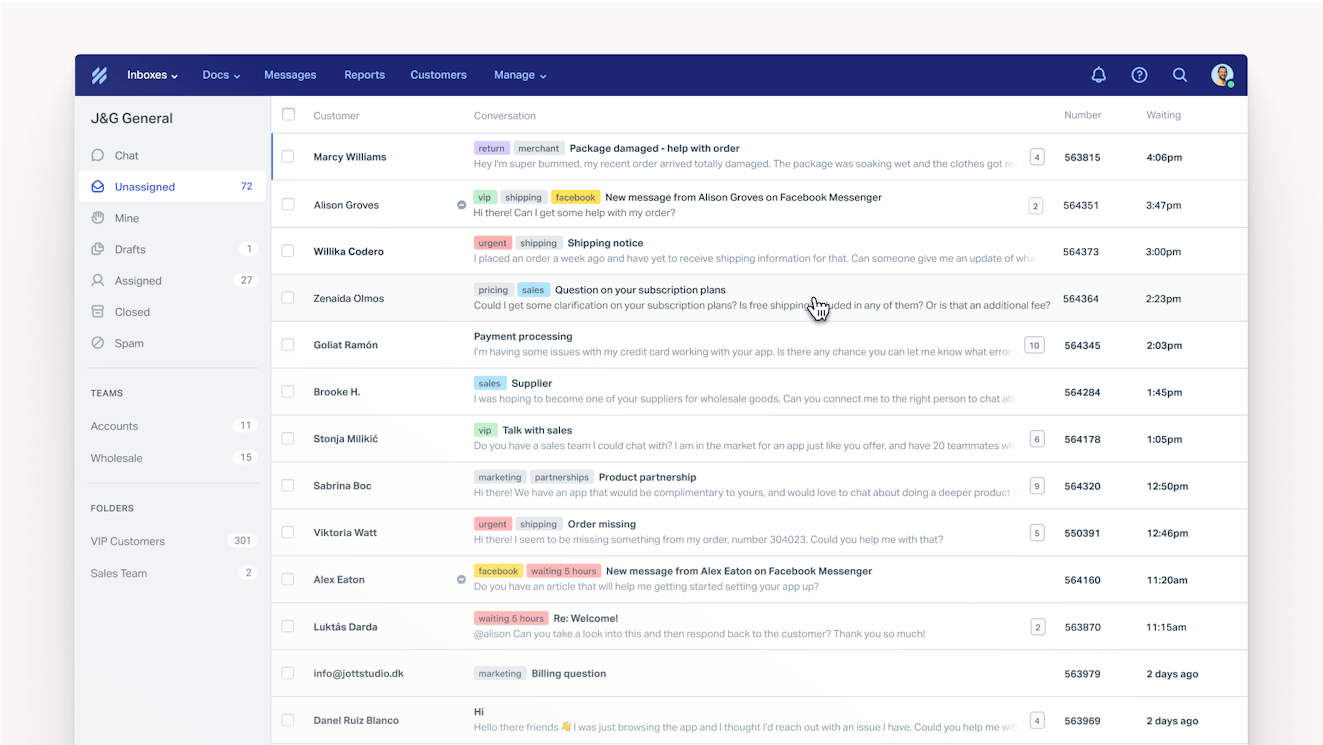
Help Scout is essentially a one-to-one replacement for Front, with nearly identical features across email, chat, social, self-service, and AI — but at a meaningfully lower price.
Differences between Help Scout and Front
Front does not offer a free plan; Help Scout has a free plan for up to five users.
Both Front's and Help Scout's lowest-cost plans start at $25/user per month. However, Front's Starter plan is limited to a single channel and lets you add a maximum of 10 users, while Help Scout's Standard plan gives you access to all channels and lets you add up to 25 users.
If you need to upgrade to a higher-cost plan, Front's mid-tier plan is $20 more per user per month than Help Scout's mid-tier plan, and Front's highest-price plan is $30 more per user per month than Help Scout's highest-price plan.
Front's copilot is sold as an add-on. Help Scout's copilot features are included at no additional cost in its Plus and Pro Plans. Additionally, Help Scout's AI agent resolutions are $0.14 less per resolution than Front's, and Help Scout doesn't charge you for requests that AI hands off to your team like Front does.
Help Scout's Facebook and Instagram integrations only allow you to view and respond to direct messages, while Front's Facebook and Instagram integrations let you see and reply to both DMs and comments on your Facebook and Instagram posts.
Help Scout's WhatsApp integration doesn't have any additional platform costs for responding to messages received on that channel. To connect WhatsApp with Front, you'll have to pay a 20% administration fee on top of Meta's usage fees.
Front integrates with X; Help Scout doesn't offer an X integration.
Help Scout includes custom reports in all of its paid plans; custom reports are only available on Front's Professional and Enterprise plans.
Recommended Reading

Who Help Scout is best for
Help Scout is a great choice for growing SaaS companies, ecommerce teams using custom-built order management systems, and businesses where great support is crucial for retention (healthcare, education, financial services, property management, manufacturing, logistics, professional services, etc.).
Pricing
Free plan and trial available. View Help Scout's current pricing.
Learn more about Help Scout:
2. Gmelius – Best for professional services teams delivering email-only support

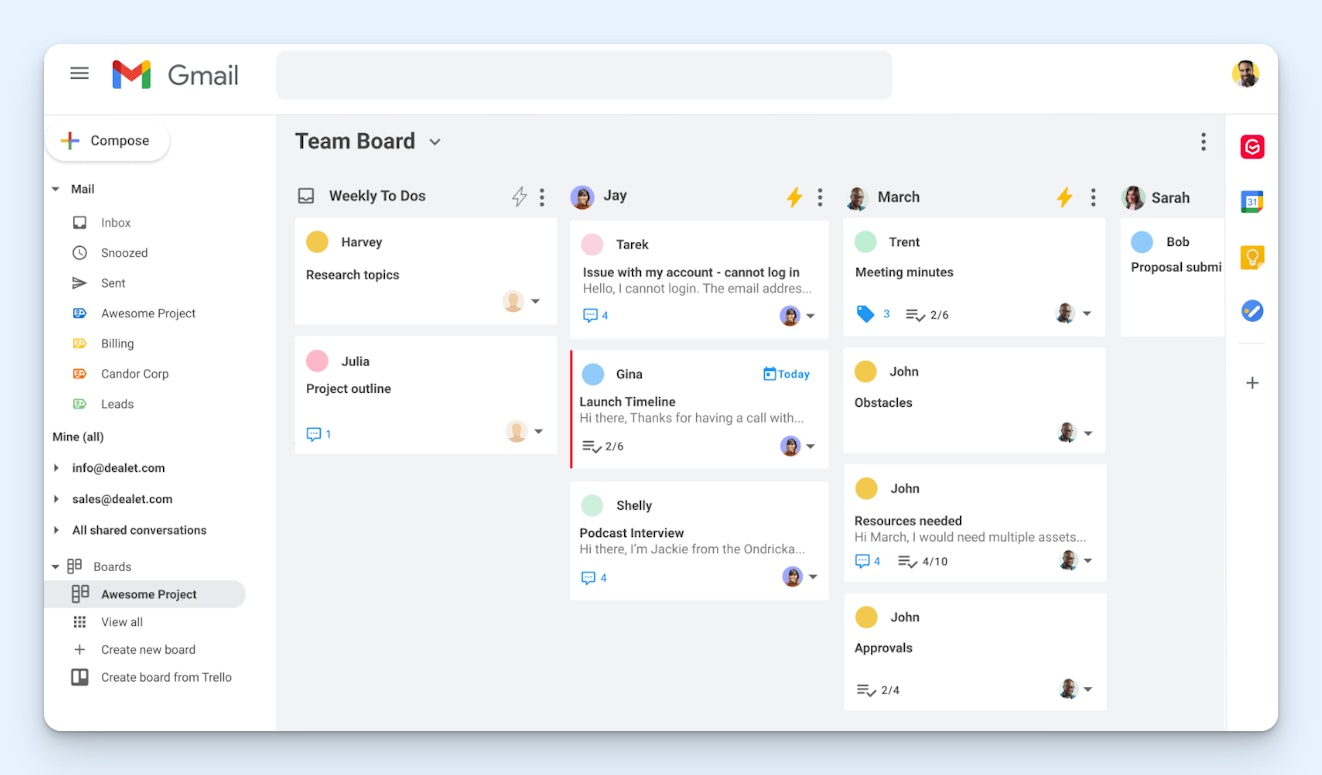
If your team only accepts support requests over email, you've outgrown the Front Starter plan's 10 user maximum, and you don't want to pay $65/user per month for Professional, Gmelius is a good option.
Differences between Gmelius and Front
Front works by forwarding email from your existing email client into Front. Gmelius works by adding additional support features on top of your existing Google Collaborative Inbox(es).
While Front offers channels like live chat, self-service, and social in addition to email, Gmelius only lets you deliver email support.
Front offers meeting links you can send to clients to let them book time on your calendar; Gmelius has an AI assistant that will work with clients to help you get meetings scheduled.
Emails in both Front and Gmelius can appear in a traditional list-based queue, but Gmelius also offers a Kanban board view you can use.
Both Front's and Gmelius' lowest-cost plans start at $25/user per month. However, Front's Starter plan lets you add a maximum of 10 users, while Gmelius' Growth plan lets you add up to 50 users.
Gmelius' AI copilot is $1/user per month lower than Front's. Gmelius doesn't offer an AI agent, but its copilot automatically drafts replies to incoming emails that you can review before sending.
Front's guest accounts feature lets people without user licenses view and comment on email requests. Gmelius does not have an equivalent feature; all contributors must have a paid seat.
Gmelius does not let you build customer portals like Front does.
Who Gmelius is best for
Gmelius is best for professional services companies that are already Google Workspace customers, want to manage personal and team email accounts in the same interface, and only deliver support over email.
Pricing
Free trial available. View Gmelius' current pricing.
3. Drag – Best for HR and other internal support teams


Drag's highest-priced plan is lower than Front's lowest-cost plan. It doesn't offer all of the bells and whistles of Front and the other tools on this list, but it's great for simple team email collaboration.
Differences between Drag and Front
Front works by forwarding email from your existing email client into Front. Drag works by adding additional support features on top of your existing Google Collaborative Inbox(es).
While Front offers channels like live chat, self-service, and social in addition to email, Drag only lets you deliver email and WhatsApp support.
Emails in both Front and Drag can appear in a traditional list-based queue, but Drag also offers a Kanban board view you can use.
Front offers nearly 200 pre-built integrations with third-party tools. Drag only integrates with Gmail, Google Workspace, Google Groups, Google Calendar, and Zapier. If you need to integrate with any other systems, you'll have to use Zapier or the platform's API.
Drag offers a handful of pre-built reports but does not let you create custom reports like Front.
None of Drag's plans have user limits. Front's Starter plan is limited to 10 seats, and its Professional plan is limited to 50 seats; only its Enterprise plan offers unlimited seats.
Drag's highest-cost plan is $24/user per month, lower than Front's lowest-cost plan, which is $25/user per month.
There are a number of features in Front that you won't find in Drag, including guest accounts, meeting scheduling links, agent availability, AI agents, customer portals, webhooks, and teams.
Who Drag is best for
Drag is a good option if your company is already using Google Workspace for email and you're looking for a low-cost, lightweight option that lets your internal support team (HR, facilities, finance, legal, etc.) manage email collaboratively.
Pricing
Free trial available. View Drag's current pricing.
4. Kustomer – Best for omnichannel support


Kustomer is a great option if you want to expand into voice and SMS support. It lets you deliver support across all channels and consolidates all requests into a customer timeline for simple omnichannel support.
Differences between Kustomer and Front
Kustomer no longer publishes its pricing publicly, but before pricing was removed from its website, its plans started at $89/seat per month. In all likelihood, you'll be looking at a price increase when switching to Kustomer from Front.
Unlike Front, Kustomer offers native voice and SMS support — no integrations required. However, Kustomer does charge additional usage fees for phone calls and SMS messaging.
Kustomer ties requests received across every channel into a single customer timeline so reps can see at a glance all interactions with that customer. It's more of a combined CRM and support tool than Front, which is just a support tool.
Kustomer does not offer the round-robin and load-balanced routing features you'll find in Front, but it does offer skill-based routing, which allows you to route requests based on rep skillsets.
Kustomer's AI agents are priced differently from Front's. Kustomer charges $0.60/engaged conversation, which is any interaction a customer has with AI that's not just a one-step handoff to a human (but not necessarily a resolution). Front charges $0.39/handoff and $0.89/resolution.
Kustomer's AI copilots are $20/user per month more than Front's. Additionally, while copilots are included in Front's Enterprise plan at no additional cost, you have to pay for the copilot add-on for all Kustomer plans.
With Front, you only get a single AI agent. On Kustomer, you can build up to 1,000 different AI agents that each handle specific types of tasks, workflows, and requests. You build them using Architect, Kustomer's no-code AI agent builder.
Who Kustomer is best for
Kustomer is a good option for large support teams managing very complex workflows, such as retail businesses with multiple brands selling across both physical stores and ecommerce shops.
Pricing
No free trial offered. Contact Kustomer for pricing.
5. Intercom – Best for scaling automated support

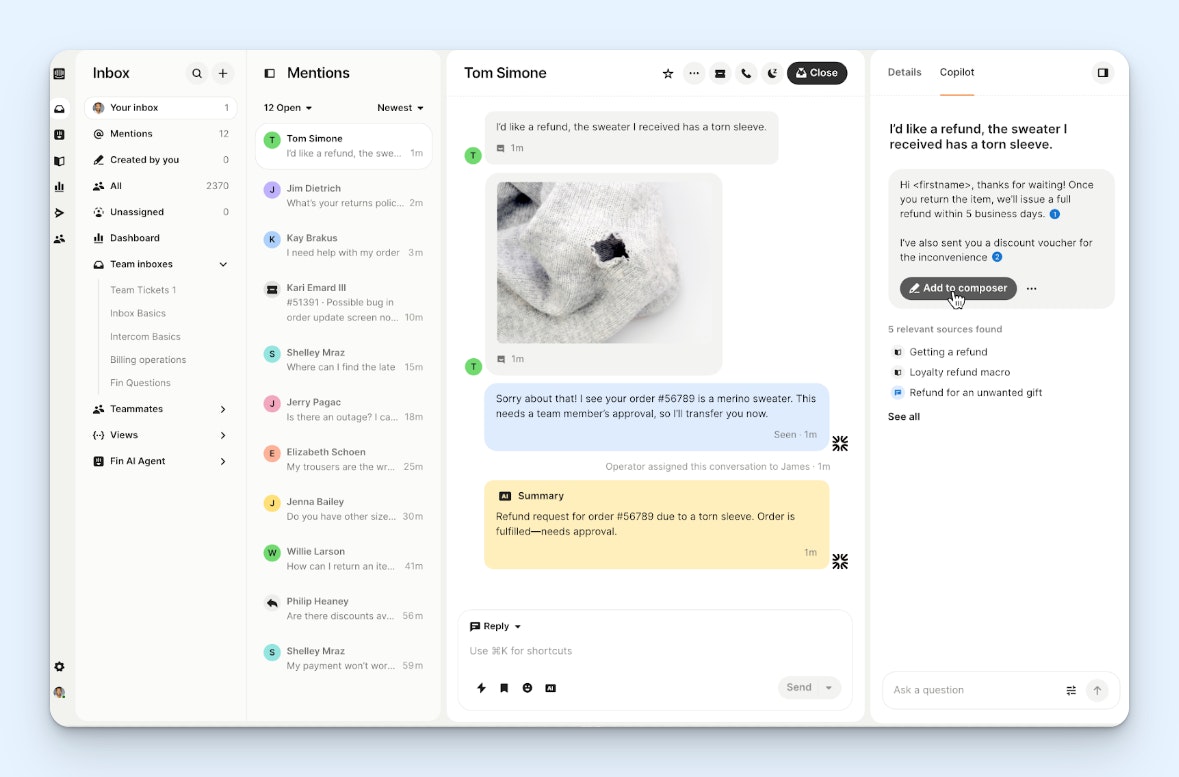
If experimenting with AI features in Front made you want to automate even more, Intercom is an ideal pick. Its AI agent can be purchased as a standalone tool or part of its help desk and works on all channels.
Differences between Intercom and Front
Intercom offers SMS and voice support natively; Front only offers these channels via integrations.
In addition to the AI-powered agents, copilots, and CSAT and QA features you'll find in Front, Intercom offers AI-powered ticket routing and ticket autocomplete, which fills out required fields when converting a conversation into a ticket. Additionally, Intercom's AI agent can be used on all channels, including SMS, phone, and Slack.
Intercom's Fin (its AI agent) can be used alongside its help desk or as a standalone product. As a standalone product, it has pre-built integrations to work with Salesforce, Freshdesk, and HubSpot. Front's AI agent only works with its own help desk and is not sold separately.
Intercom's Proactive Support Plus add-on includes customer onboarding features like in-app checklists and product tours that aren't available in Front.
Intercom's pricing for its help desk plans is similar to Front's, though Intercom is a little pricier (between $4 and $27 more per user per month, depending on plan). Intercom's base plan is a bit more generous than Front's, giving you access to multiple support channels rather than just one.
Intercom's pricing for its AI agent is higher than Front's. On Intercom, you'll pay $0.99/outcome. Outcomes include routing a request to a human support agent, resolving requests, and disqualifying leads. Front charges less for handoffs ($0.39 each) and resolutions ($0.89 each).
Unlike Front, Intercom lets you build lead qualification into your AI agent, having it qualify inbound leads for you and routing qualified leads to your sales team. However, the pricing for routing qualified leads is much higher than other AI actions; each routed qualified lead costs $9.99.
Intercom's plans do not have any user maximums like Front's; you can add as many users as you need to any of its plans.
Who Intercom is best for
Intercom is a great fit for large SaaS companies that want to offer automated support on all channels. It's also a good option for companies using help desks from Salesforce, Freshdesk, and HubSpot that want to try a different AI agent but don't want to migrate to a new help desk platform.
Pricing
Free trial available. View Intercom's current pricing.
Recommended Reading

6. HubSpot Service Hub – Best for customer success teams


In addition to letting you deliver support across all channels except for SMS, HubSpot Service Hub offers customer health scores and books of business that make it ideal for customer success teams.
Differences between HubSpot Service Hub and Front
While Front integrates with HubSpot's CRM to pull data from HubSpot into Front, Service Hub is built into the same interface as HubSpot's CRM and lets you not only view and change data but also set up specific workflows between the two systems.
While Front has a couple of success-focused features like customer portals and AI-powered CSAT, HubSpot offers quite a few more. Its customer success workspace lets you view only your book of business, see automatically generated customer health scores to identify at-risk accounts, view subscriptions and revenue at a glance, and set up onboarding or implementation pipelines.
There's a free Service Hub plan for up to two users, and HubSpot's base plan is considerably less expensive than Front's base plan ($7/seat per month for HubSpot vs. $25/seat per month for Front). However, HubSpot's base plan is extremely limited, and pricing for its mid-tier plan is nearly 13 times the cost at $90/user/month.
While HubSpot's Free and Starter plans can save you some money when switching from Front to those plans, its Professional and Enterprise plans are much more expensive, costing between $25 and $45 more per seat per month.
HubSpot offers a startup plan that lets teams get access to all of its hubs for up to 90% off in year one, 50% off in year two, and 25% off in year three. Front does not have an equivalent offer.
Service Hub includes custom reporting in all of its plans; custom reports are only available on Front's Professional and Enterprise plans.
HubSpot's AI agent is only available on its Professional and Enterprise plans (Front's agents are available on all plans), and its pricing is lower than but more confusing than Front's. You get a certain number of AI credits included for free in each plan. After that, you have to purchase additional credits separately. Each resolution costs 50 credits.
Who HubSpot Service Hub is best for
HubSpot Service Hub is best for customer success and account management teams at sales-led companies that 1) are already using HubSpot's CRM and 2) have revenue-focused teams in charge of supporting customers.
Pricing
Free plan and trial available. View HubSpot Service Hub's current pricing.
Recommended Reading

7. Pylon – Best for providing support via messaging platforms

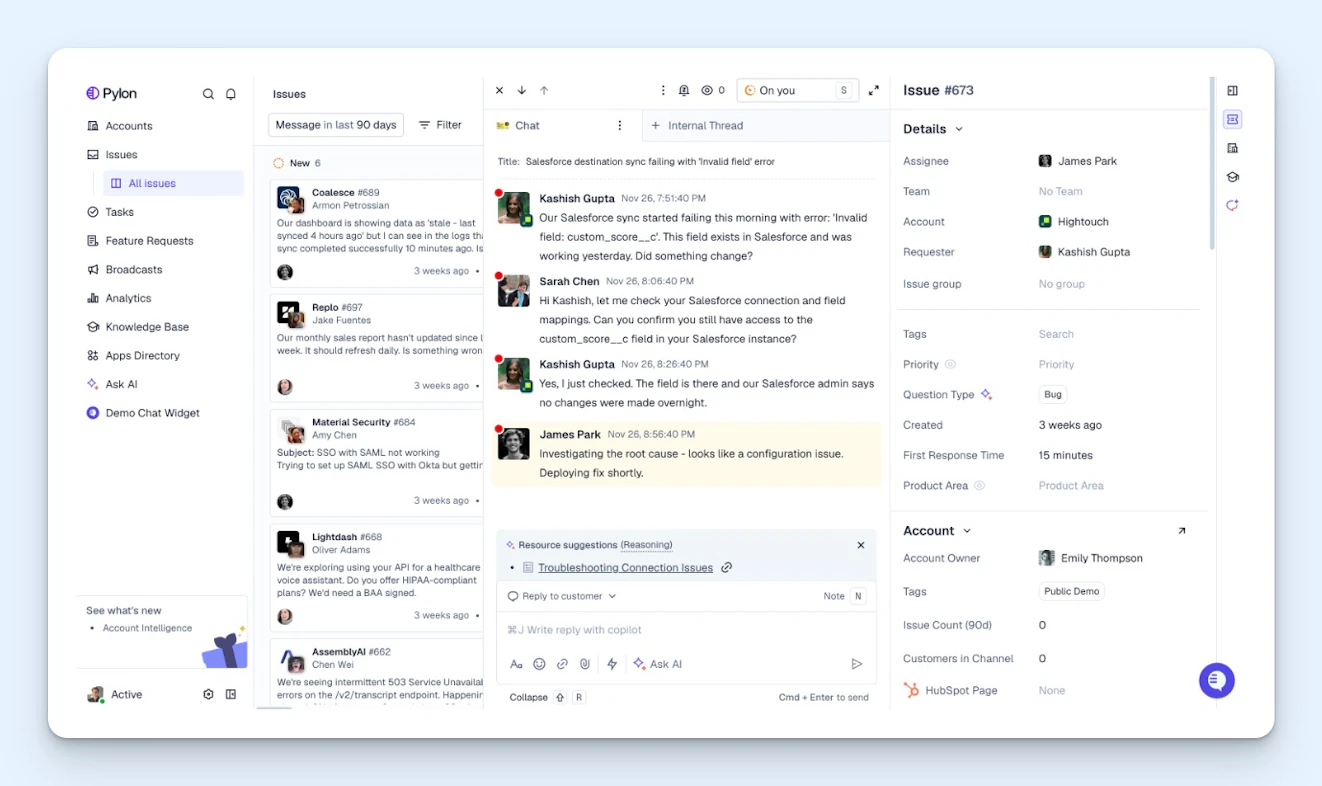
If you're moving away from providing email support and are instead offering clients support via real-time messaging channels like Slack and Microsoft Teams, Pylon is a great option to consider.
Differences between Pylon and Front
In addition to email, self-service, and chat support, Pylon offers phone and SMS support. However, unlike Front, Pylon doesn't let you pull in requests from Facebook, Instagram, or X.
Pylon integrates with Microsoft Teams, Slack, Discord, WhatsApp, and Telegram; Front does not offer integrations for Microsoft Teams or Discord.
Emails in both Front and Pylon can appear in a traditional list-based queue, but Pylon also offers a Kanban board view you can use.
Pylon's AI routing and agent features require more manual setup than Front's. These features are AI-supported, but they work off of complex workflows and decision trees that you create manually to help them understand where to route and how to resolve specific types of requests.
Front has an AI feature you can use to turn a draft of a knowledge base article into a full article. Pylon has that feature too, but it also uses AI to identify gaps in your knowledge base and highlight knowledge base articles that are too similar.
Pylon is a higher-cost option than Front, with plans costing between $24 and $34 more per seat per month. Pylon's plans don't have maximum users like Front, but it does have minimum users; you have to pay for a minimum of three seats on its Starter and Professional plans and seven on its Enterprise plan.
Pylon's AI assistants ($50/seat per month) are pricier than Front's AI copilots ($20/seat per month).
Pylon's AI agents are priced differently than Front's. Front bills different per-instance amounts for routed tickets, tickets that are handed off to support, and resolved tickets. Pylon bills a flat rate for a specific number of instances where AI was used; for example, for less than 200 AI uses, you'll pay $100/month.
Who Pylon is best for
Pylon is best for professional services companies and sales-led SaaS teams that want to support their customers on the channels they're already using (Slack, Microsoft Teams, etc.) to do their work.
Pricing
No free trial offered. View Pylon's current pricing.
How to choose the best Front alternative for your team
With so many good options available, the right choice really comes down to your team's specific situation. Here are a few things to keep in mind as you narrow down your shortlist:
Know which channels you actually need: It's tempting to choose a platform that supports every channel imaginable, but many teams can only reliably offer support on a handful of channels. Before you start comparing tools, list the channels you're actively using today and any you're likely to add in the next year or two. That alone will rule out several options.
Calculate the total cost, not just the seat price: Most platforms charge separately for AI features, and pricing models vary widely. Run the numbers based on your actual support volume before committing. Additionally, pay close attention to detailed plan comparison charts (not just summaries) to make sure you're getting the features you need at the price you think you'll pay.
Consider your existing tool stack: If your team lives in Google Workspace, a Gmail-native tool will have a much shorter learning curve. If your sales team is already on HubSpot, a platform that integrates with it will unlock more value than one that doesn't. The best help desk is often the one that fits most naturally into how your team already works.
Take free trials seriously: If a tool offers a trial, use it to test your actual workflows — not just the basics. Import real conversations, set up your routing rules, try the AI features with the kinds of requests you actually receive, and have a few team members use it for a week. A demo will always make a tool look great; your own team using it on real work is a much more reliable signal.
Finally, don't underestimate the effort of migration. Switching platforms isn't just a matter of signing a new contract. You'll need to think through how to export your data from Front, how to rebuild automations and routing rules, and how to train your team on a new interface. Some platforms offer dedicated migration support; others leave it entirely to you. Ask about available migration options before you commit.
Like what you see? Share with a friend.
Jessica Greene
Jessica Greene is a Help Scout alum, where we make excellent customer service achievable for companies of all sizes. Connect with her on LinkedIn or through her website.


