The 9 Best HubSpot Service Hub Alternatives in 2026



HubSpot Service Hub is a common customer support platform for early-stage businesses due to its generous startup plan that gives you access to all of the platform's products at a significantly discounted rate. And while Service Hub works great early on when your support team is small and you're paying a discounted rate, it can become a burden as you grow.
To stay on the same Service Hub plan after your startup discount expires, you'll have to pay $90/seat per month, which is higher than many other support platforms' highest-priced plans. Additionally, the platform is missing a lot of features you'll need as you grow, it can be difficult to get help from HubSpot's support team, and your options for customizing the platform are limited.
If you're ready to find a replacement that gives you more features or is more budget-friendly, we've put together this list of the nine best HubSpot Service Hub alternatives to make it easy for you to find the right option for your needs.
1. Help Scout – Best for affordability and ease of use

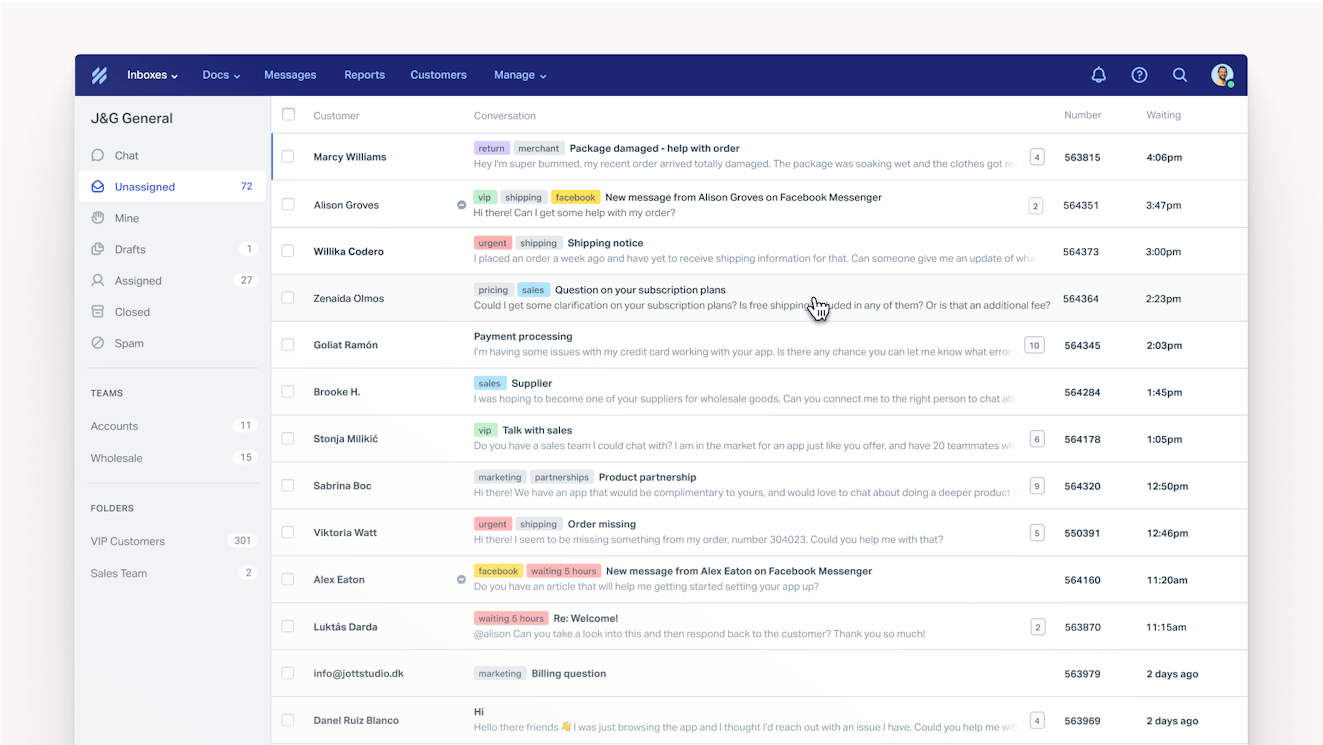
Help Scout is an easy to use and affordable customer service platform that will help you both improve your support and save a lot of money when switching from HubSpot. With it, you can deliver support by email, chat, and social; help your team move more quickly with workflows and AI; and deliver great self-service support with a knowledge base and AI chatbot.
Inbox

Help Scout's inbox houses all of your support requests from email, live chat, and social. It's a one-stop shop for your entire team to view all of your conversations, no matter where they originated from.
Help Scout has several features that help you save time when replying to customers:
Saved replies let you create a database of answers to frequently asked questions that can be inserted into replies in a couple of clicks.
Workflows let you automate just about anything — route requests to the appropriate team, add tags, send auto-replies, complete custom fields, and more.
Collision detection ensures that agents are never wasting their time working on a request to which someone else has already started replying.
Internal notes can only be viewed by your team, and they help you collaborate to resolve a conversation by @mentioning other individuals or teams to get their input.
Assignments let you assign conversations to specific teams or individuals, and you can also use round-robin or load-balanced routing to assign conversations automatically.
Help Scout also has a number of AI features that let you resolve tickets faster:
AI Drafts writes replies for you; simply check them for accuracy and hit send.
AI Summarize automatically summarizes long conversation threads.
AI Assist can change the length or tone of your reply, check for grammar and spelling errors, and translate your replies into other languages.
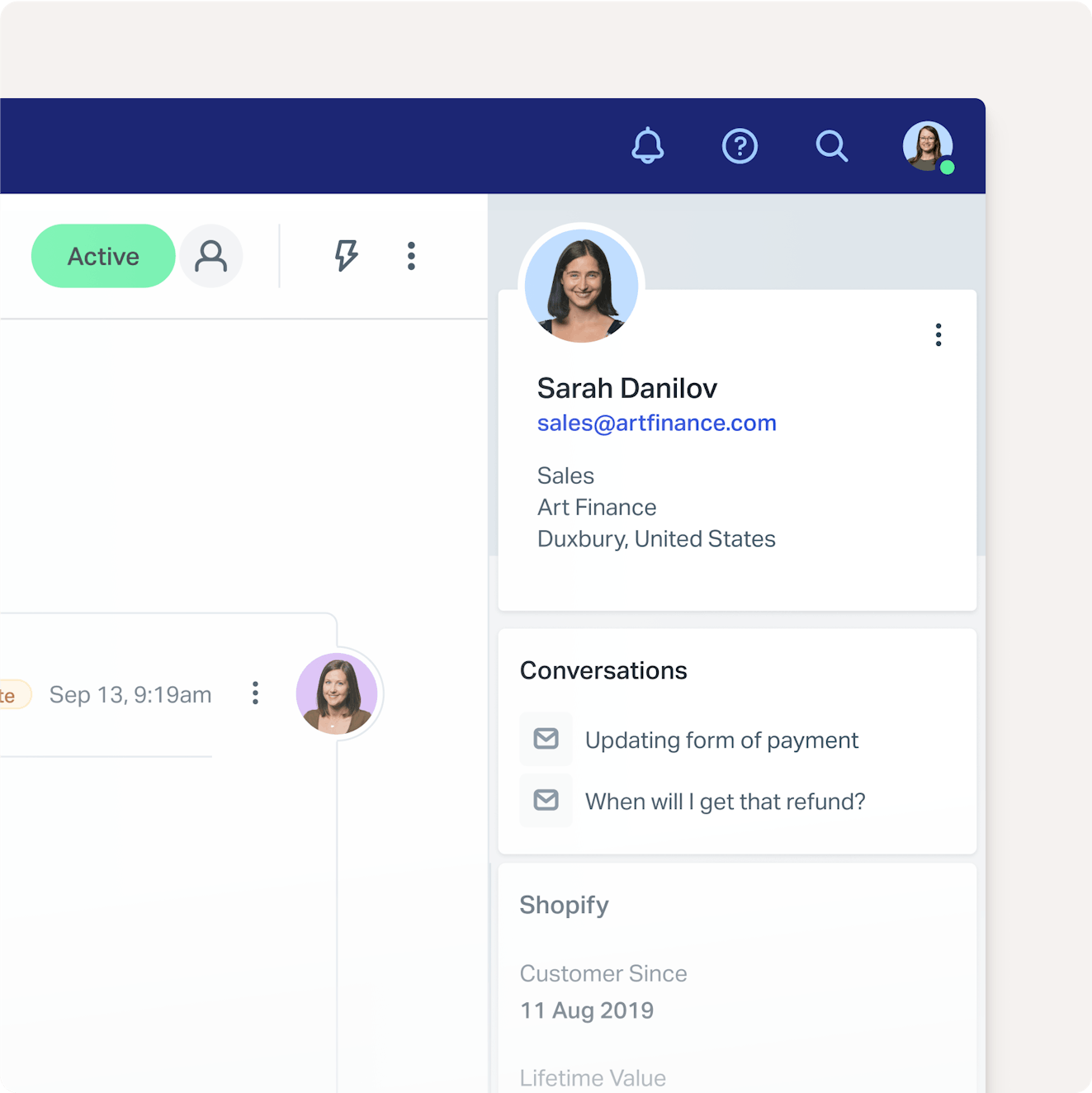
Finally, customer profiles are displayed in a sidebar for every request, pulling in data from Help Scout and other systems you use like Salesforce and Jira. If you decide to continue using HubSpot for non-support operations like marketing and sales, you can integrate that data with Help Scout too, giving your support team the context they need to deliver personalized support.
Live chat and messages


Embed Beacon — Help Scout's live chat widget — on any page of your website or app to deliver chat support. You can set up office hours so live chat only shows as an option when someone is available to reply, and when someone isn't available, Beacon will direct the customer to send you an email, which they can do directly within the Beacon.
Beacon can also be used to show proactive messages to site visitors and customers. These trigger-based messages can pop up on any page of your website, store, or app, letting you onboard customers, suggest helpful content, announce a new feature, promote a sale, or even collect customer feedback.
Self-service


You get at least one knowledge base on every Help Scout plan to help you enable customer self-service. Build a searchable database of how-to articles, and organize them into collections. You can use AI Assist here, too, to expand an article you wrote (or make it more succinct), clean up any spelling/grammar issues, or translate your articles into other languages.
Once you've built your knowledge base, you can take advantage of AI Answers, Help Scout's AI chatbot. AI Answers uses information from your knowledge base and website to answer customers' questions instantly from any Beacon. If the chatbot can't provide the right answer, it's easy for customers to reach out to your support team from the same interface.
Reporting and customer satisfaction
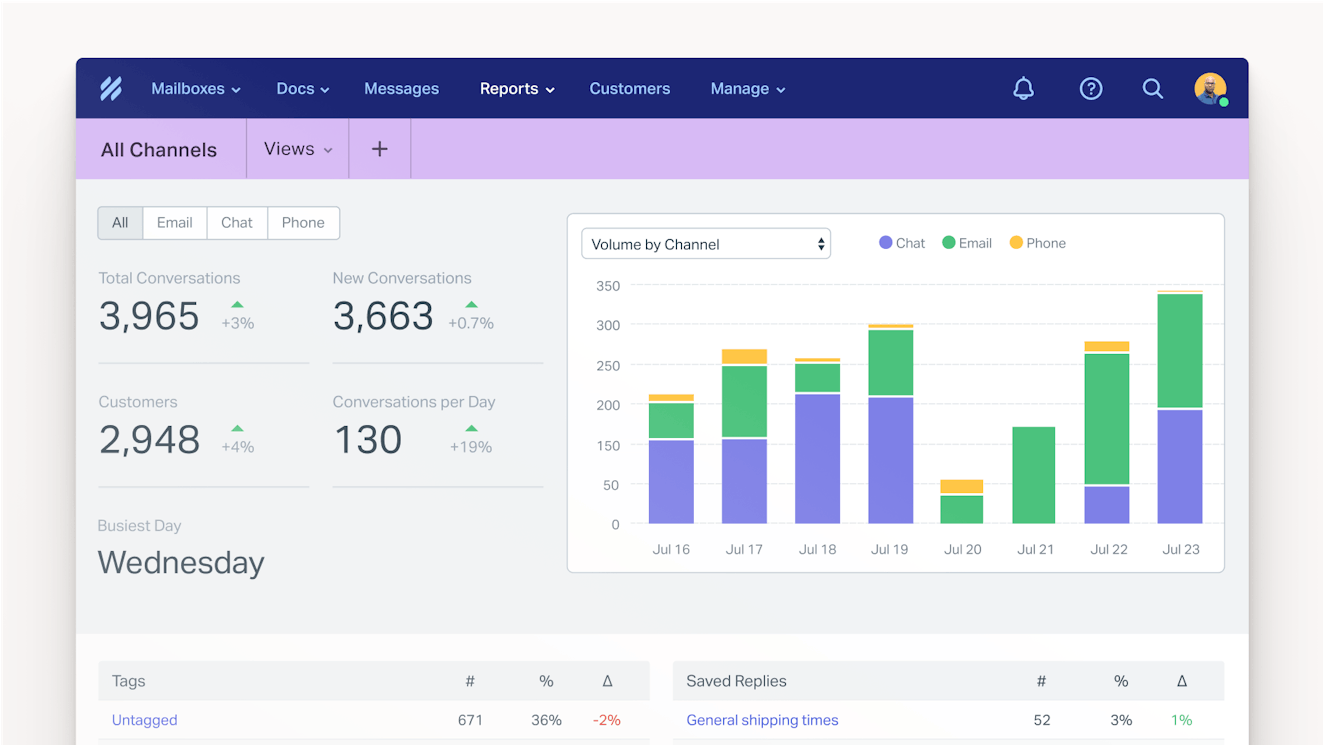
Access Help Scout's pre-built reports to monitor which times of day are busiest, what are the most common reasons for customer queries, which channels are most popular, and more.
You can also turn on customer satisfaction ratings to get feedback on your email exchanges, live chat conversations, and knowledge base articles and then view those ratings in the Happiness report.
Pricing
Free plan and trial available. View Help Scout's current pricing.
Learn more about Help Scout:
2. Zoho Desk – Best for creating community forums


HubSpot is well known for having one of the best and most active community support forms among all SaaS brands, but — ironically — you can't create a community forum with Service Hub. If you're looking to replicate HubSpot's success by creating a support forum of your own, you'll need to look elsewhere. For this use case, Zoho Desk is the most affordable option.
Zoho Desk is one of only a handful of options on the market that gives you access to both omnichannel support and the ability to create community forums. On its Standard plan, you can build a forum, create a help center, and provide email, live chat, and social support. Phone support is also available on Zoho's Professional plan.
While the AI features available in Zoho Desk's lower-priced plans are fairly paltry, you can get access to its AI chatbot and AI assistant on the Enterprise plan, which is less than half the cost of HubSpot's Professional plan. The AI chatbot answers customers' questions automatically, and the AI assistant can do things like auto-tag tickets and analyze sentiment.
Zoho Desk is also part of a large ecosystem of Zoho apps, so it can be a good option if you're looking to move multiple systems off of HubSpot. There's a CRM, marketing automation platform, site builder with CMS, and business intelligence platform, plus things you won't get with HubSpot like HR, project management, and accounting software.
Pricing
Free plan and trial available. View Zoho Desk's current pricing.
Recommended Reading


3. SupportBee – Best for creating customer portals

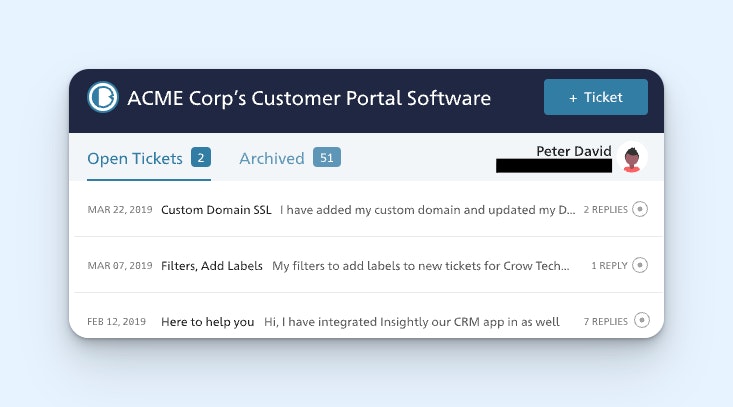
One of the big advantages of HubSpot Service Hub is that it lets you create customer portals, a feature that's more common in IT support software than customer service software. If you're looking for an affordable replacement for Service Hub and a customer portal is a must-have, there aren't a ton of options, but SupportBee has you covered.
Customers can log into the support portal to create new tickets, reply to open tickets, and see all of the open and historical tickets for their entire company. They can access the portal via a restricted URL so they don't need individual logins for the system. The portal can also be hosted on your domain and branded with your colors and logo.
Beyond creating support portals, you can also use SupportBee to create a shared inbox for email support and a knowledge base for self-service support. The shared inbox comes with some basic collaboration and productivity features: You can assign tickets to individuals or teams, add labels to tickets, leave private notes for your team, and create canned snippets.
While affordable, SupportBee is fairly basic as support systems go. It has no AI features, its collaboration features are pretty limited, and it only lets you deliver email and self-service support. Still, if you're a small customer success team that doesn't need all of the bells and whistles of the other tools on this list, it could be exactly what you're looking for.
Pricing
Free trial available. View Support Bee's current pricing.
4. Intercom – Best for automated support

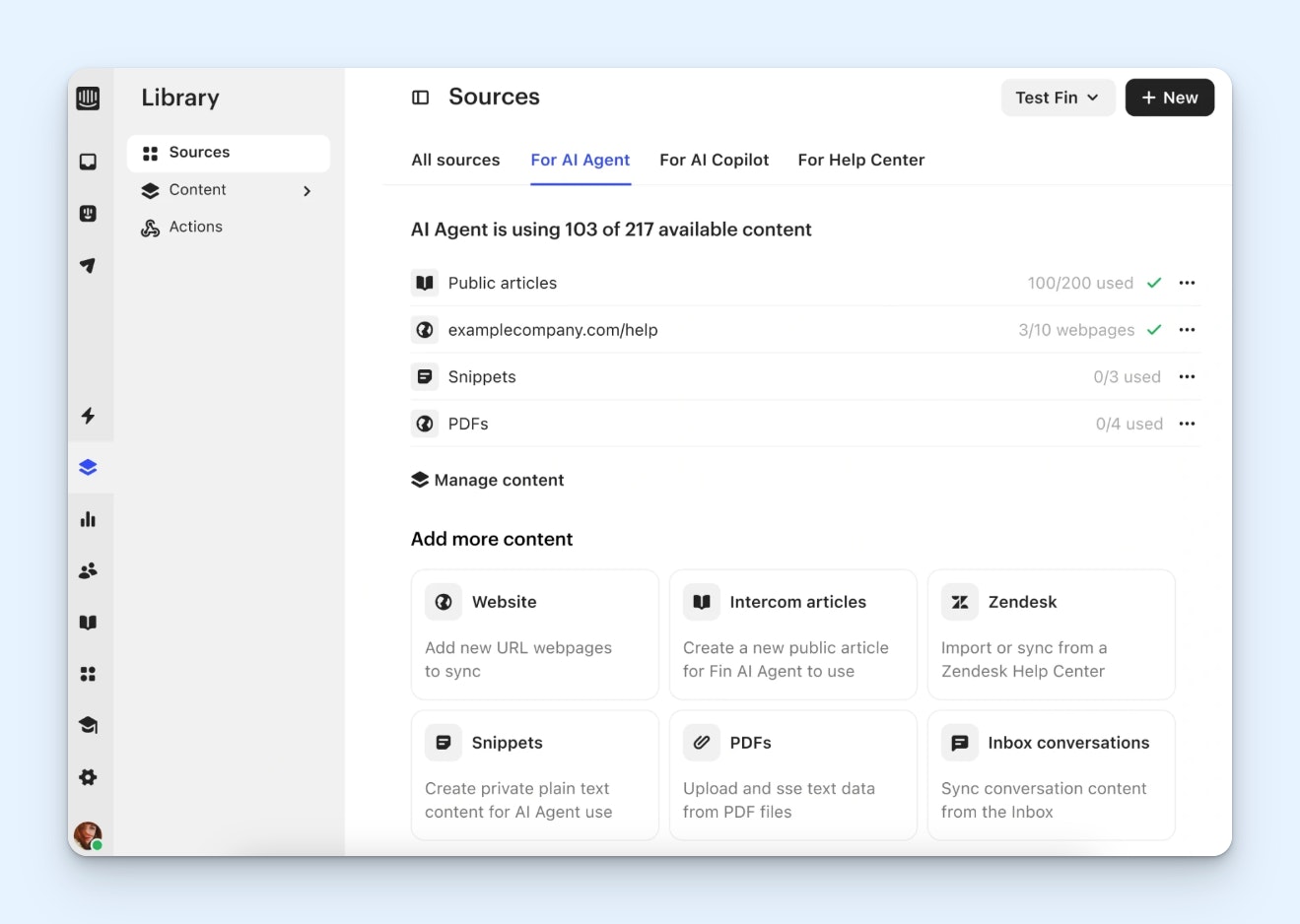
If you like the AI features of Service Hub but want to do even more to automate support, you'll want to check out Intercom. They've pivoted to what they're calling "AI-first" customer service and have baked AI into every single element of the platform.
Fin, Intercom's AI agent, can be used to automatically reply to customer queries received via email, chat, social, and SMS. For the questions Fin can't answer, it automatically sends them to the right person or team. You can build its routing rules in Intercom's no-code workflow builder to let Fin know what to do with the types of requests you want handled by certain members of your team.
Intercom also offers an AI copilot that uses your team's conversation history and any other internal or external sources you supply it with to write draft replies for you. Your team simply reviews the generated reply, edits it if necessary, and sends it. Intercom's copilot can also automatically translate replies into 45 other languages when necessary.
Other things Intercom's AI can do include:
Update data in external systems when it handles a request from a customer. For example, if someone writes that they want to cancel their order, Fin — via an integration with Shopify — can cancel the order and then update its status in Shopify.
Assess customer sentiment and add satisfaction ratings to conversations where customers didn't supply a rating themselves so you have satisfaction ratings on 100% of your support interactions.
Help you identify poor support interactions so you can identify issues and find opportunities to coach your team members.
Answer customers' questions automatically over the phone or on Slack.
Overall, Intercom is not an option that's going to save you money if you switch to it from HubSpot Service Hub. Fin is priced per use, and all of the other AI features listed above — including its copilot — are sold separately as individual add-ons. However, if automating your support is a bigger concern for you than budget, it's a great option for your team.
Pricing
Free trial available. View Intercom's current pricing.
Recommended Reading


5. Freshcaller – Best for phone support

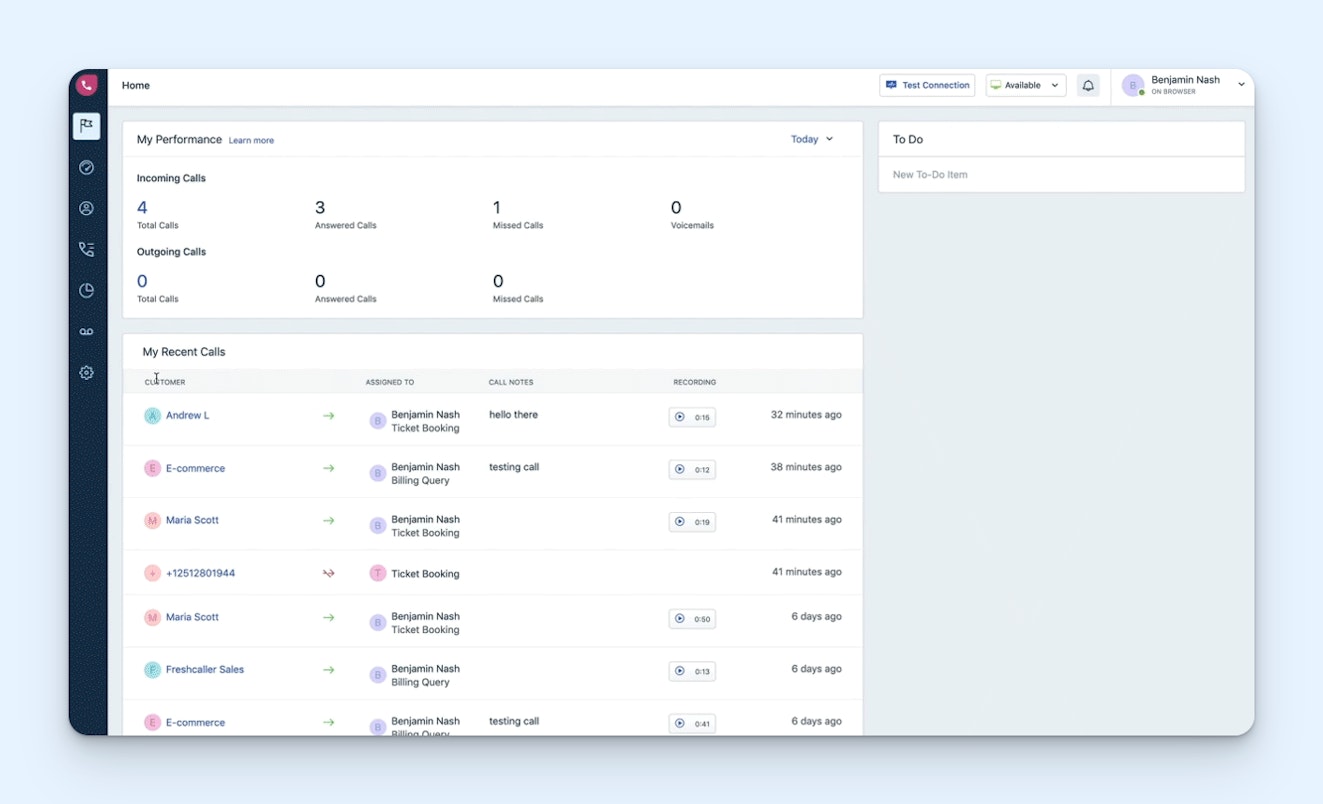
If you're using Service Hub for phone support and are ready to upgrade to something more robust, Freshcaller is a good option. You can bring over your existing support phone numbers or buy new ones. Local, toll-free, and vanity numbers are all available.
As far as features, Freshcaller has plenty. Set up office hours when you're available, and route calls to voicemail when you're not. Route calls using IVR, create a custom greeting, and automatically let callers know how many people are ahead of them in the queue. Routing rules can distribute calls to agents equally, and customers who don't want to wait can request callbacks.
For team leads, Freshcaller lets you monitor live calls, access call recordings, and view call transcripts. See all calls that are happening at any given moment on your call center dashboard, and access reports showing things like call outcomes, average talk time, and missed transfers.
Freshcaller also has an AI voice bot that can answer frequently asked questions instantly. If the bot can't answer the customer's question, it can route the customer to an agent, send them to your IVR system, send them to voicemail, or hang up — you can configure the rules for what the bot should do in different scenarios.
Pricing
Free plan and trial available. View Freshcaller's current pricing.
6. Zendesk – Best for customizations


If there's a feature HubSpot Service Hub is lacking that you're looking for, Zendesk probably has it. It's an incredibly robust support platform that lets you deliver omnichannel support, customize the platform to meet your exact needs, and access just about any feature you've ever wanted.
With Zendesk, you can deliver email, live chat, phone, self-service, and social support. Automatically route tickets to the right person, answer questions with AI, spot problem areas quickly with AI-powered quality assurance, integrate with almost 2,000 other apps, and even build your own custom applications that work in Zendesk and connect with other data sources.
The platform contains nearly every feature of every other app on this list. If deep customization and power are what you're looking for, it's definitely the right option. Just be aware that with that power comes complexity — it will take much longer to get set up on Zendesk than the other options on this list and will require a lot more agent training.
Zendesk also comes with a higher price tag than many of the other HubSpot alternatives on this list and likely isn't a good option if you're looking to reduce the cost of your support software. However, if you're a large company that's still growing and you have complex support workflows that Service Hub hasn't been able to accommodate, the higher price tag may be worth it.
Finally, if you're looking to move off of both HubSpot Service Hub and Sales Hub, Zendesk also offers a CRM platform for sales teams. It comes with many of the same features as HubSpot's CRM, including contact and deal management, pipeline reports, activity tracking, prospect lists, email sequences, call recording, and a power dialer that helps you make outbound calls quickly.
Pricing
Free trial available. View Zendesk's current pricing.
Recommended Reading

7. Agentforce Service (formerly Salesforce Service Cloud) – Best Salesforce CRM integration

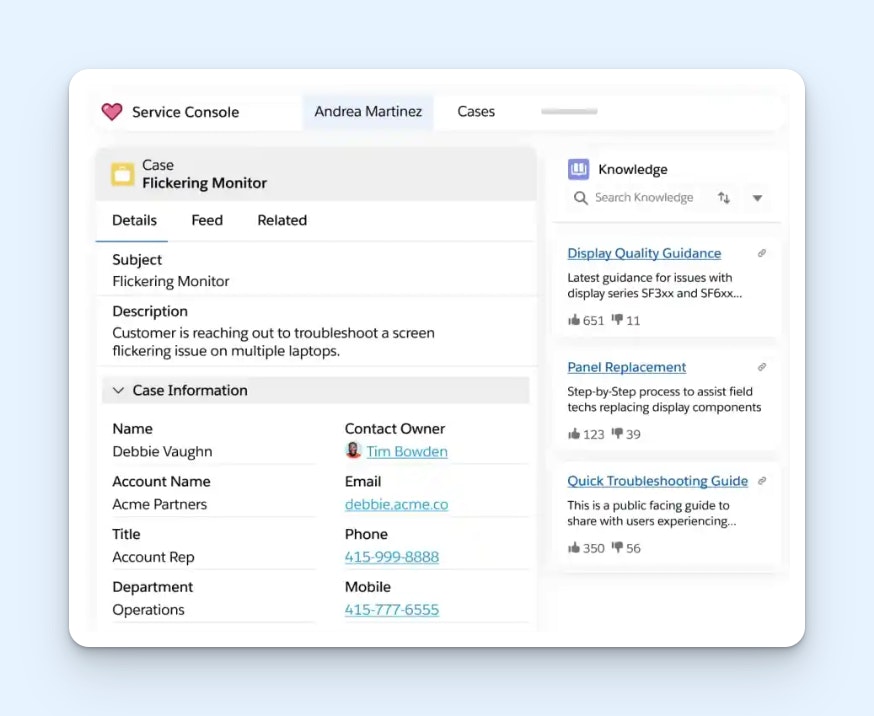
If your company is migrating over to Salesforce's CRM and you want to continue having your CRM and support systems under the same platform, consider Agentforce Service. As another Salesforce platform, it has the best Salesforce CRM integration of all of the Service Hub competitors (though it's worth noting that most support platforms offer a Salesforce integration).
While Agentforce does have a low-cost Starter Suite plan that could be appealing to smaller businesses, it's built more for large companies. The base plan is pretty limited, offering only email and self-service support. To get something even as basic as live chat, you'll need to be on the next plan up, which jumps to four times the per-user cost of the Starter Suite plan.
Besides having the most seamless Salesforce CRM integration, Agentforce also has a couple of unique features you won't find in the other tools on this list. Its field service features are great for teams that offer on-site product support, and Agentforce's AI can automatically turn ticket replies you've written into knowledge base articles.
Finally, Agentforce is another one of the support tools that, like SupportBee, offers a customer portal feature. If that's a key HubSpot feature you're looking to replace, Agentforce is another good option to consider.
Pricing
Free trial available. View Agentforce Service's current pricing.
8. tawk.to – Best for live chat support

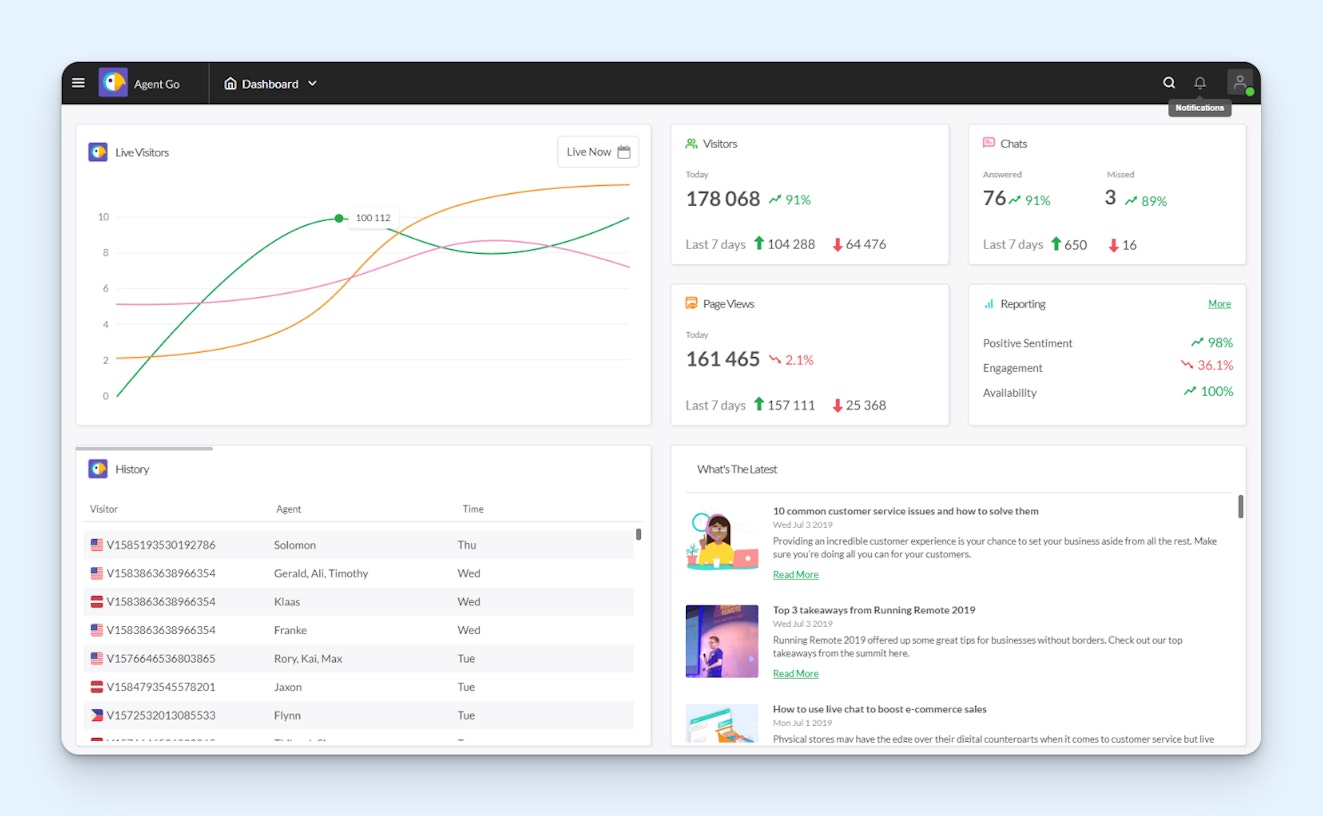
If your team mostly uses HubSpot for live chat, tawk.to is a great alternative to consider. Like HubSpot, you can use it for free. However, while Service Hub's free plan is limited to two users, tawk.to can be used by an unlimited number of users at no cost.
The platform also comes with features you won't find in Service Hub. It supports group messaging when you need to communicate with multiple people at once, and you can share your screen with customers and allow them to share their screens with you. You can also upload files to the chat and send them to customers and vice versa.
If you're getting inundated with spam messages, you can ban visitors from using the chat widget. Tawk.to can also translate more than 45 languages into your native language so you can provide international support.
Outside of its free plan, tawk.to also offers some paid features. You can pay to remove the tawk.to branding from your chat widget, purchase its AI-powered chatbot and agent copilot, or pay the company an hourly rate to respond to your support requests for you.
Pricing
Free, though add-ons for Tawk.to are available at an additional cost.
9. Dixa – Best for skill-based routing


If Service Hub's skill-based routing was a key feature for your team, Dixa could be a good alternative to consider. Its routing feature automatically sends requests to agents/teams based on priority, skill sets, and availability, and it works on requests coming in from all channels.
You'll find a lot of the same features in Dixa that you have access to in Service Hub. Dixa offers email, self-service, live chat, phone, SMS, Facebook Messenger, Instagram, X, and WhatsApp support natively. However, its phone support comes with options you won't find in Service Hub, like IVR, callbacks, queue position announcements, call monitoring, and custom hold music.
Like Service Hub, Dixa offers an AI chatbot that answers customers' questions for you. You can also purchase add-ons to get AI copilots for your team, use AI to gather performance insights, or automatically transcribe phone calls. However, it is missing a couple of Service Hub features you'll find in some of the other alternatives on this list — specifically customer portals, community forums, and SLAs.
In terms of pricing, Dixa and HubSpot Service Hub are comparably priced, so it's not an alternative to consider if you're looking to save on costs. But if you need skill-based routing and want to migrate to a tool with a nicer UI that's built specifically for support teams, Dixa is worth exploring.
Pricing
No free trial offered. View Dixa's current pricing.
Choosing the right HubSpot Service Hub alternative for your team
In our reviews, we primarily looked at how the features and costs of the tools in our list compared to HubSpot Service Hub's offerings, but as you look for the perfect replacement, you'll want to consider more than just feature parity and pricing.
Other important considerations include the support you'll receive when you run into an issue using the new platform, the integrations it offers with third-party systems that are key to your support operations, and the platform's ability to grow with your company.
It's a lot of work to switch support platforms down the line, so make sure to choose a tool that will scale alongside your team and can handle your expected support volume now and in the future.
For more tips on finding the perfect support software for your team, check out our Buyer’s Guide to Choosing the Right Customer Support Tool.
Jessica Greene
Jessica Greene is a Help Scout alum, where we make excellent customer service achievable for companies of all sizes. Connect with her on LinkedIn or through her website.