The 8 Best FAQ Software in 2026: Reviewed & Compared


FAQ software makes it easy to create a great self-service experience. It gives you features that help you publish the information you need to share with your customers and/or employees while giving them access to tools that make that information easy to find.
In this post, we're taking a look at the eight best FAQ software for internal and external support. Below, you'll find our detailed reviews of each platform, covering what use cases each tool is best for, what unique features each offers, and how they all compare on price.
At Help Scout, we only publish deeply researched, human-written content. If you find our content to be as helpful as we strive to make it be, you can set us as a preferred source in Google so you'll see our content surfaced more often when you're searching.
| Platform | Summary | Designed For | Free Trial | Starting Price |
|---|---|---|---|---|
Help Scout | Best for teams that need FAQ and help desk software, Help Scout lets you build and publish a help center, launch an AI agent, and deliver email, chat, SMS, and social support. | Customer support | 15 days | Free plan available; paid plans start at $25/user per month |
Slite | Best for keeping your internal knowledge base up to date, Slite's AI agent alerts you to inaccurate and outdated articles and drafts updates that article owners can review. | Employee support | 14 days | $10/member per month |
Brainfish | Best for teams with limited support resources, Brainfish can automatically turn text, video, and audio files into help center articles and updates that your team can review. | Customer support | Not offered | Contact for pricing |
Document360 | Best for teams with complex documentation needs, Document360 lets you easily create product tours and step-by-step decision trees users can use to get answers. | Employee and customer support | 14 days | Contact for pricing |
ProProfs Knowledge Base | Best for teams with tight budgets, ProProfs Knowledge Base offers a free plan that lets you create up to 25 articles across as many help centers as you need. | Customer support only on the free plan; customer and employee support on paid plans | 15 days | Free plan available; paid plans for customer support start at $49/author per month, and paid plans for internal support start at $0.99/user per month |
BetterDocs | Best for companies using WordPress as a CMS, BetterDocs lets you create internal and external FAQ sites in WordPress, as well as launch an AI chatbot. | Customer and employee support | Not offered | $55/year |
AnswerHub | Best for teams that live in Slack, AnswerHub uses your company documentation and expert answers to provide employees with answers to their questions right in Slack. | Employee support | Not offered | Free plan available; paid plans start at $62/month |
Perfect Wiki | Best for teams using Microsoft products, Perfect Wiki lets you create a knowledge base in Teams and launch a chatbot that coworkers can use to get their questions answered. | Employee support | 14 days | $9/editor per month |
1. Help Scout – Best for combined FAQ and help desk software


Help Scout is an intuitive customer service platform with tools for delivering both self-service and human-provided support. You can use it to build internal and external knowledge bases, launch an AI agent that answers customers' questions for you, and support your customers via email, live chat, SMS, and social media (on Facebook Messenger, Instagram, and WhatsApp).
Help Scout's knowledge base builder, Docs, lets you create a customizable help center. Author articles using a simple WYSIWYG editor, add media like videos and images, and organize your documentation into collections and categories. You can also view reports showing how your articles are performing: if they're helpful to customers, how often they're viewed, and what customers are searching for most often.
Once your help center is published, you can use Beacon — Help Scout's web widget — to embed your help center on any page of your website or app. This lets customers search your knowledge base from anywhere without having to stop what they're doing and navigate to your help center to find the information they need. You can even pop up a message in Beacon to suggest an article that might help.
Beacon can also be used to offer real-time AI support to customers. Help Scout's AI agent uses information from your knowledge base and website to answer customers' questions instantly without a human needing to get involved. Your team can review all conversations customers have with the AI agent and provide it with feedback and guidance when it gets things wrong to improve its answers over time.
If the AI agent can't provide the answer a customer needs, it's really easy for customers to redirect their question to your support team via email or live chat. Customer requests from all channels show up in Help Scout's shared inbox, which has lots of features that help your team reply quickly. You can build a library of saved replies, embed links to specific help center docs, and have AI write a draft reply for you.
Finally, for more complex use cases, you can build an internal knowledge base or use restricted docs. An internal knowledge base is only accessible to your support team and can be used to distribute information you don't want published for all customers to see. And restricted docs lets you gate specific knowledge base articles behind a login form — helpful if you have certain articles that only apply to certain customers.
Pricing
Free plan and trial available. View Help Scout's current pricing.
Learn more about Help Scout:
2. Slite – Best for keeping your internal knowledge base up to date

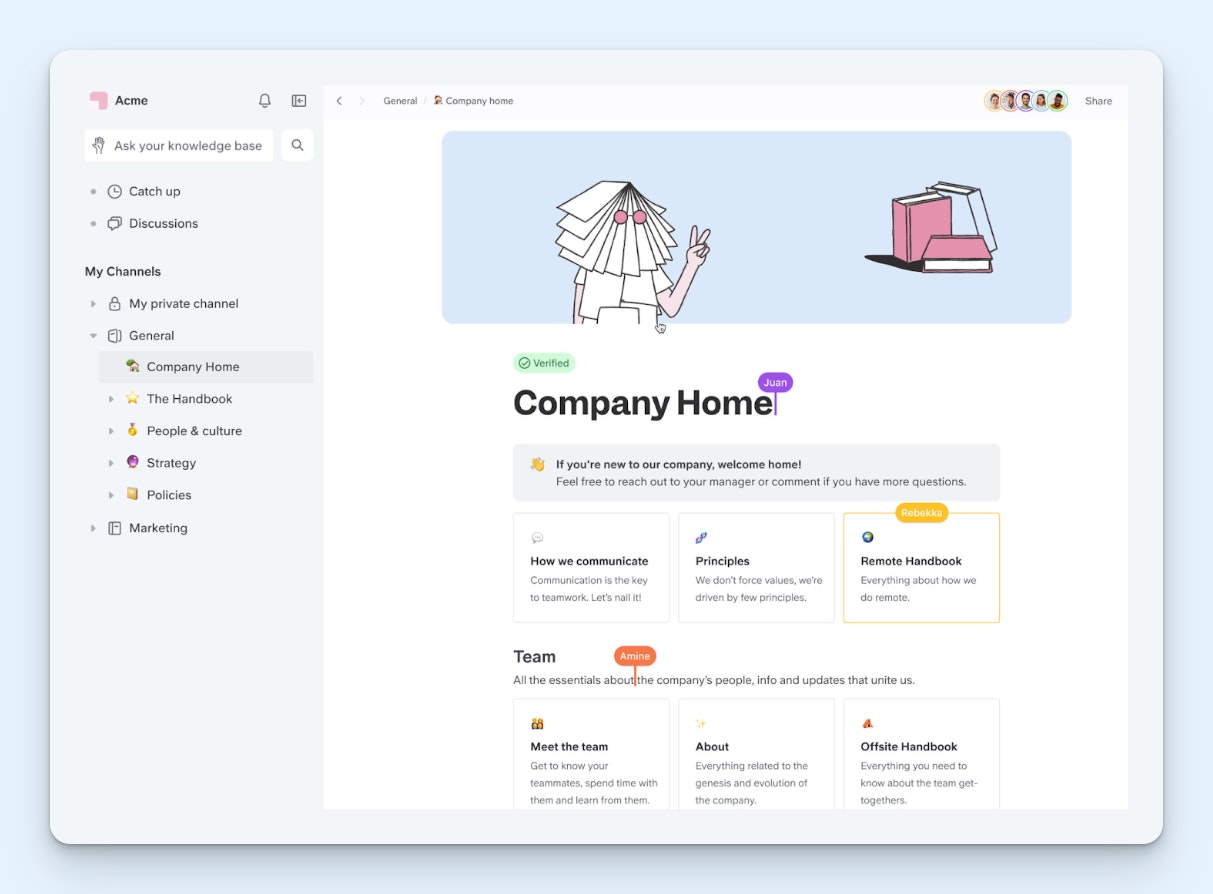
Slite is a great option for internal knowledge management. It lets you create articles and organize them in whatever way makes the most sense for your company — by topic, team, project, etc. — and it comes with lots of pre-built templates you can use to get started quickly.
When creating a new article in Slite, you can “verify” that article for a specific amount of time that you select. This shows readers a “verified” indicator that gives them confidence that the answer is up to date and accurate, and it also reminds the author of the article to revisit it once the verification expires. It’s a great method for ensuring your knowledge base stays up to date.
Users can also file reports to let you know when they couldn’t find the information they were looking for (the reports include information on what they were searching for) or when they find inaccurate information in the system. Additionally, when document owners leave the company, you can transfer their ownership to someone else on the team so verification notifications aren’t lost in the ether.
And while having authors verify their articles and letting employees notify you if they're outdated helps, it's often still not enough to keep your documentation up to date at all times. To solve that problem, Slite has an AI agent that detects when a document is no longer accurate, drafts an update to the document, provides rationale for why it suggested the changes it did, and surfaces it for your owners to review.
All of your articles with expired verifications, reports of issues from employees, and suggestions from Slite Agent are displayed in Slite's knowledge management panel, which also shows you usage metrics for each of your docs. From the dashboard, you can take bulk actions on docs to change their owners, update the verification status, or archive them in just a few clicks.
Employees can also use Slite's AI agent to get the answers they need to do their work. In addition to using your knowledge base as a source of information, Slite Agent connects with 20+ apps like Slack, HubSpot, Jira, Linear, and GitHub — and offers an MCP and an API — so the AI agent can search across all of the tools your team uses to find the answers employees are looking for.
Pricing
Free trial available. View Slite’s current pricing.
Recommended Reading

3. Brainfish – Best for teams with limited support resources

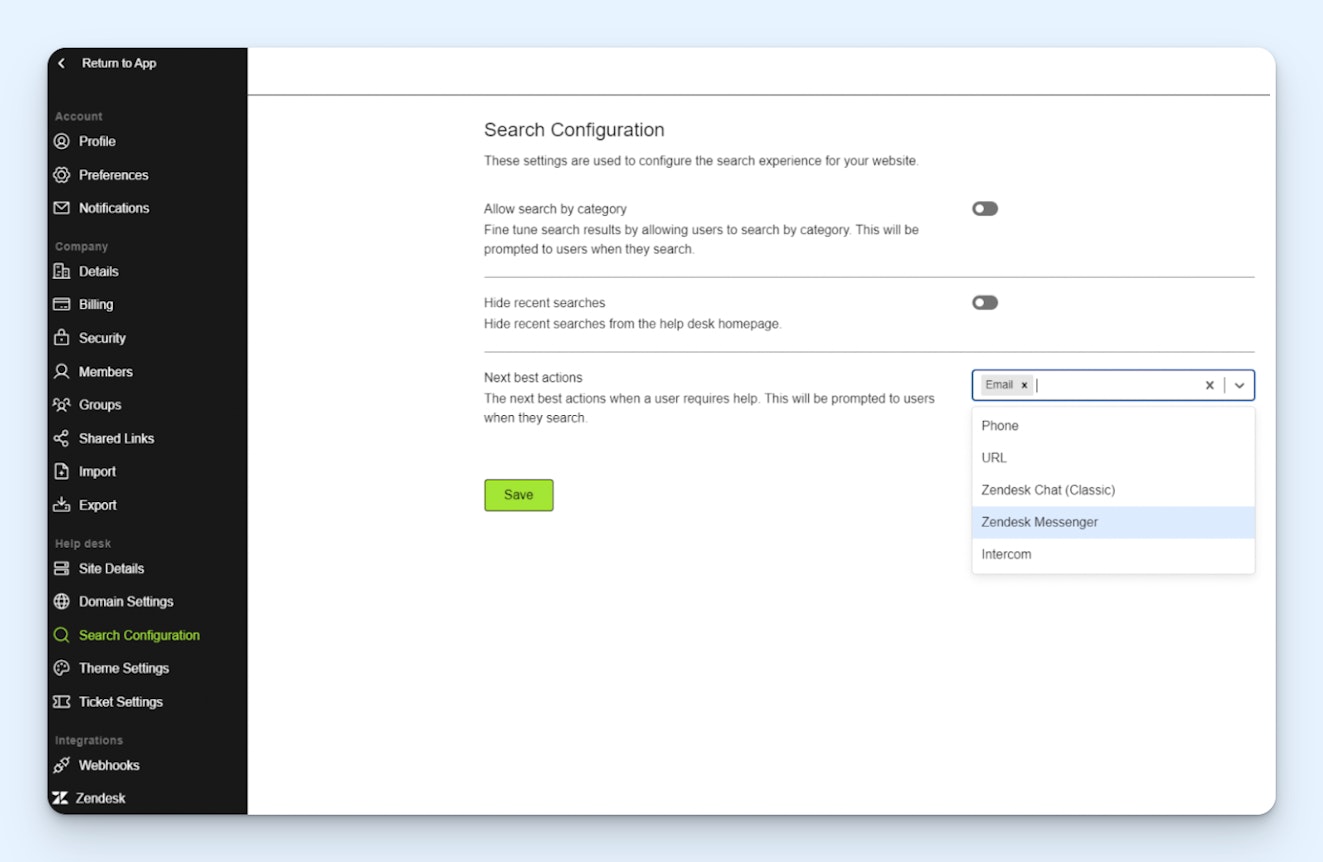
Brainfish is an AI-powered knowledge base that can do all of the work of creating an FAQ site for you. It’s a great option for startups with small support teams that don’t have time to answer customers’ questions and write knowledge base articles.
To create a complete knowledge base from scratch, you can upload any relevant video, audio, or text files you have on hand, as well as integrate with the systems your team is already using, like Slack, Chorus, Shopify, Google Drive, Help Scout, HubSpot, Notion, Salesforce, and more. This lets you pull knowledge from things like sales calls and internal Slack discussions and turn those into help content for customers.
Brainfish will turn the data you provide it with into draft knowledge base articles that your team can review before publishing. And if you have existing articles that are related to new information you've provided, it can also recommend updates to those articles that your team can review. Updates are provided as edit suggestions that can be accepted, rejected, or used as inspiration for a rewrite.
Two unique features you'll find in Brainfish are video snippets and session replays. When uploading a video to Brainfish, it can not only create text content but also extract relevant sections of the uploaded video and embed those into the post. Session replays let you turn session recordings into knowledge base articles and updates, for example, when you find a session where a user was struggling to perform a task.
New and updated help center articles can be published on your Brainfish help center or synced with an integrated help desk. The help center is also used to power Brainfish's AI agent, which answers customers' questions and can execute workflows you set up. The AI agent can be embedded into your website or app as a chat widget or added to messaging platforms like Slack and Microsoft Teams.
Finally, since Brainfish knows so much about your product, it can also be used as a copilot for your team. Teams can ask the AI agent questions about your product in systems like Slack, Teams, and Salesforce to get real-time answers, which can be useful when replying to support requests or answering prospect questions during a demo.
Pricing
No free trial offered. Contact Brainfish for pricing.
Recommended Reading

4. Document360 – Best for teams with complex documentation needs

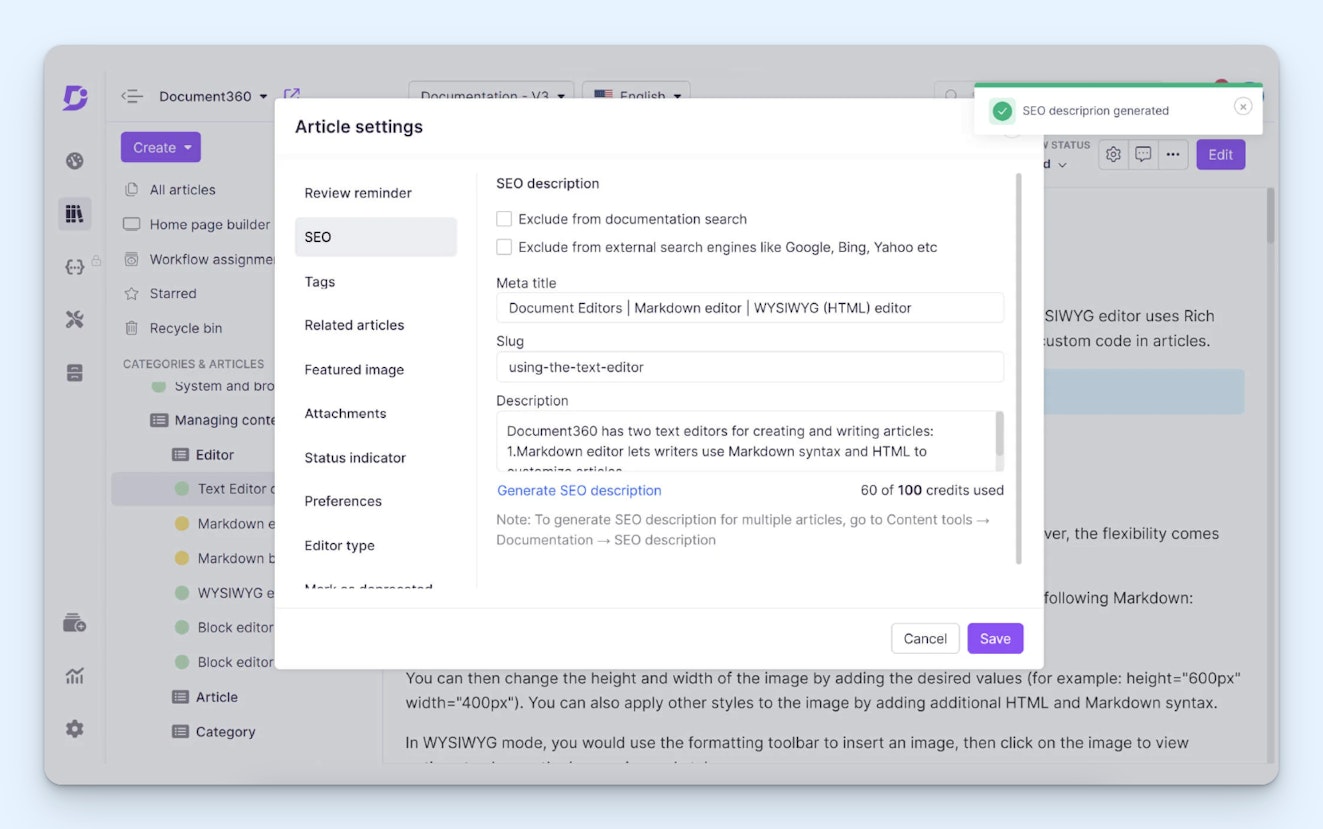
Document360 is a standalone FAQ platform that can be used to create any type of documentation you might need: internal and external knowledge bases, user manuals, developer documentation, and SOPs. It’s one of the most robust products on this list, making it a good option for teams that need to go far beyond publishing simple FAQs to get their employees and customers the information they need.
Two unique features you’ll find in Document360 are workflows and Floik AI. Workflows let you set up multi-step approval processes that ensure all content is reviewed by the right people before it goes live. Floik AI is a browser extension that lets you grab screenshots, record videos, and even build product tours and interactive demos that can be inserted into your documentation.
You can also build decision trees that customers/employees can use to solve more complex problems. They walk users through a step-by-step process, asking questions along the way, to get them to the right solution. On the back end, they're built like flow charts, but end users only see a single step at a time that they can respond to by making a selection that ultimately impacts the next step or solution they see.
Other useful features include content localization — automatically translating articles into 50+ languages and serving the right version to a visitor based on their default browser language — templates that let you standardize the structure of specific article types, snippets and variables that let you reuse things you've built/written across multiple articles easily, and a glossary feature that provides definitions upon hover.
Like the other tools we've looked at so far, Document360 also offers several AI features. There's an AI writing agent that can be used to create knowledge base articles from a prompt or transform video or audio files into knowledge base articles. You can create style guides the agent will use to determine how to structure its articles and what tone and style it uses.
On the end-user side, Document360 has an AI agent that answers questions immediately using information from your knowledge base, summarizes articles that users are viewing, recommends articles that are related to an article a user is viewing, and can even read the content of an article to a visitor out loud if they prefer (or need) to listen to the content rather than read it.
Pricing
Free trial available. Contact Document360 for pricing.
Recommended Reading

5. ProProfs Knowledge Base – Best free FAQ software for customer support


ProProfs Knowledge Base is great for small businesses on a budget that are just looking for a simple tool for creating a handful of external-facing help docs. On its free plan, you can publish up to 25 total articles, but you're not limited to a single help center. If you need three help centers, you can create all three on the free plan as long as your total number of articles doesn't exceed 25.
The downside: you can't publish your help center on your own domain. You'll be limited to publishing it on a ProProfs-supplied domain. However, you can customize your help center on the free plan, adding your logo and brand name; choosing from a selection of themes, colors, and fonts; and customizing the design using CSS if needed.
One nice thing about the free plan is that it isn't too limiting on the features you get access to. You can localize your help center, access a revision history for all articles that lets you roll back to previous versions if needed, create conditional sections of your help center that only display if a viewer meets certain conditions you've specified, and leave comments on articles for your teammates to review.
The free plan also lets you embed a widget on your website that shows visitors FAQ pages that are related to the page they're viewing.
If you're willing to upgrade to a paid plan, you'll have a lot more options. On paid plans, you can build internal and external FAQ sites, integrate with third-party tools, manage access permissions, and use ProProfs AI features. AI can be used in the platform to write, edit, and translate knowledge base articles, and you can launch an AI assistant that customers and employees can get real-time answers from.
One interesting thing about ProProfs is that it's a bit of a piecemeal platform that lets you add new tools as you need them. In addition to Knowledge Base, it has help desk and live chat products for customer support and performance and project management products for internal support. You can buy each product individually, or you can subscribe to one of its suites that offer multiple tools in one package.
Pricing
Free plan and trial available. View ProProfs Knowledge Base's current pricing.
Recommended Reading

6. BetterDocs – Best for companies with WordPress websites

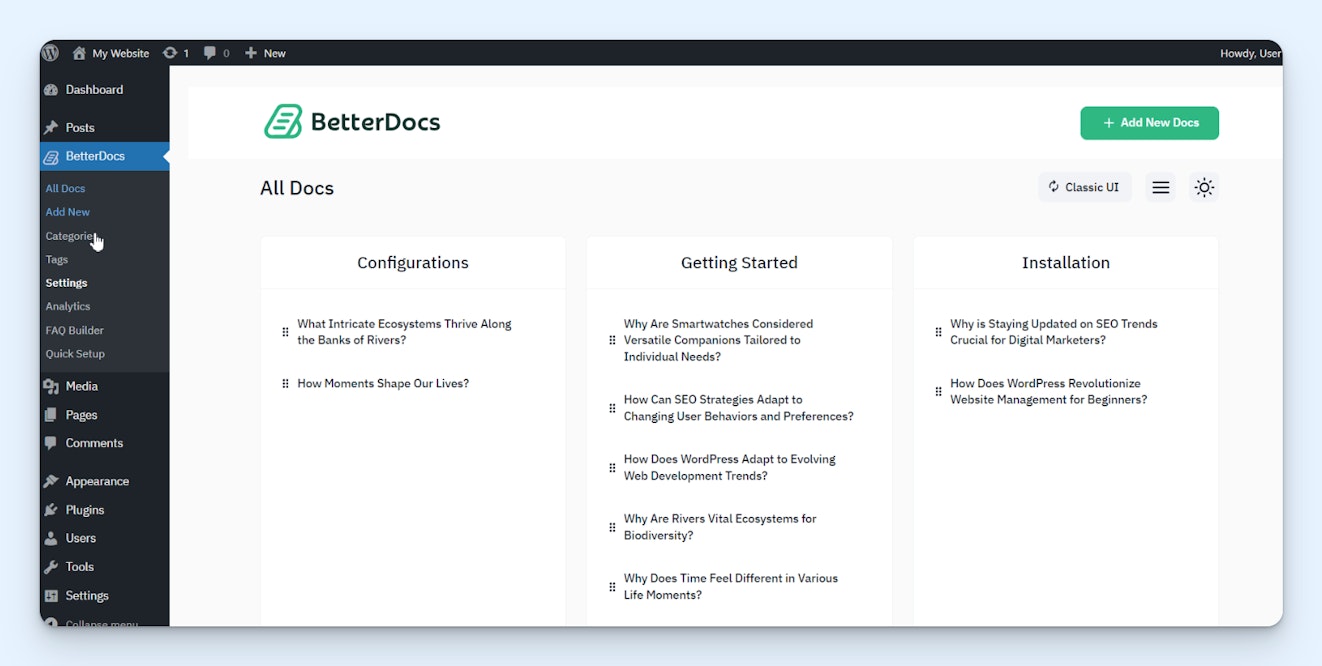
If your business’s website is built on WordPress, BetterDocs is a good option that lets you build internal and external knowledge bases without having to onboard a new CMS. You simply install the plugin, then build your knowledge base directly in WordPress. Anyone can view the content published in your external knowledge base; only your company's WordPress users can access your internal knowledge base.
BetterDocs offers a number of different features to address different needs. Build simple FAQ pages, create a more in-depth knowledge base with articles sorted into categories, and launch a help widget that lets visitors search your knowledge base from any page of your website. Built-in templates and drag-and-drop design components make it easy to make your knowledge base look nice without coding.
Analytics show you how often your articles are being viewed, if customers were satisfied or not with the content in your articles, and how many searches did or didn’t produce results. You can also review your most common search terms to identify content gaps that need to be filled.
BetterDocs has an AI chatbot add-on that uses the content from your website (which includes your knowledge base since they’re both on the same site) to answer customers’ questions instantly. And there are also AI features that help your team create and maintain your knowledge base:
A summarizer you can use to add a summary to the top of articles.
A QA tool that analyzes the quality of your articles.
A related articles widget that shows viewers content related to the page they're viewing.
An AI writer that creates knowledge base content for you.
BetterDocs' pricing is interesting. There are plans you can pay for either monthly or annually, as well as a couple of lifetime-access plans that let you use the product forever by paying a one-time fee. However, even if you choose to purchase an annual or lifetime plan, you'll still need to pay a monthly subscription fee to use BetterDocs' AI chatbot.
Pricing
No free trial offered. View BetterDocs’ current pricing.
Recommended Reading

7. AnswerHub – Best for teams that live in Slack


AnswerHub is a great option for companies whose employees have Slack open all day every day. You simply install the plugin in your company Slack, upload any documents you want it to use as reference material, then let your teammates know that instead of DMing others when they’re looking for company knowledge, they can ask AnswerHub.
Initially, you can tell AnswerHub to train on any website you specify, FAQs you’ve already created, or files you upload. However, it can also grow its knowledge over time by requesting answers from experts at your company and saving that knowledge for use in the future.
For example, say someone has a question about expense reimbursements that you have no existing documentation on. AnswerHub will notify you that it received a question it couldn’t answer. You can tag the person who knows the answer, they can provide the right answer to AnswerHub, and then AnswerHub saves that information for future use.
Employees can get help from AnswerHub by using an /ask command, DMing AnswerHub directly, or @mentioning it in any DM or channel — or you can set up a special AnswerHub channel if you prefer to direct employees to a central place where they can find answers to their questions.
Pricing
Free plan and trial available. View AnswerHub’s current pricing.
8. Perfect Wiki – Best for companies that use Microsoft Teams


If your coworkers live in Microsoft Teams instead of Slack, Perfect Wiki is a good alternative to AnswerHub to consider. Like AnswerHub with Slack, Perfect Wiki acts as a chatbot within Teams (and Microsoft Copilot and SharePoint) that uses files you’ve uploaded, imported from OneDrive or SharePoint, or created in Perfect Wiki itself to answer questions asked by your teammates.
However, there are two key differences between the two products.
First, while AnswerHub only makes knowledge available through its chatbot, Perfect Wiki makes it available through a chatbot and lets you create a knowledge base. Your knowledge base appears in a separate tab within Teams, and articles can be sorted into categories. Its answer bot will also cite related knowledge base articles when answering questions in case people want to get more information.
Second, where AnswerHub lets you ask experts for answers to questions and then retains that information when answering future questions, Perfect Wiki requires you to create new articles for new information. However, it does provide you with a weekly report showing knowledge that is missing or outdated, and when you see a good answer to a question in Teams, you can instantly turn it into a knowledge base article.
Like AnswerHub, coworkers have several options for interacting with Perfect Wiki. They can @mention it in any channel to ask it a question, use the personal tab to ask questions they don't want everyone to see, or use the embedded Perfect Wiki widget to get instant answers when viewing a SharePoint site.
Pricing
Free trial available. View Perfect Wiki’s current pricing.
Choosing the right FAQ software for your company
The best FAQ software for your company will depend on a variety of factors, including how robust of a system you’re trying to create, what tools you’re already using, and whether you’re creating a knowledge base for your coworkers or your customers.
For a customer-facing knowledge base, Help Scout is perfect if you want to consolidate all of your customer support tools into a single platform, ProProfs Knowledge Base is a simple option if you need something that’s free, Document360 is a robust option if you already have a help desk that you like, and BetterDocs is worth considering if you want to manage everything in WordPress.
If you’re looking for an internal-only knowledge base, Slite and Document360 are good standalone tools, and AnswerHub and Perfect Wiki work within the messaging platforms your team already has open all day. ProProfs Knowledge Base and BetterDocs also have internal knowledge base functionality, but they're not as strong for that use case as they are for external support.
Finally, if you want to create and maintain your FAQ content automatically, Brainfish is a good option for customer-facing knowledge bases, and Slite is ideal for internal knowledge bases.
Once you’ve narrowed down the options to a few you want to dig into more deeply, start a trial of each platform or request a demo to make sure it’s going to do exactly what you need it to do. Finally, consider submitting a support request to the providers you’re considering to make sure that you can also get help when you need it.
Like what you see? Share with a friend.
Jessica Greene
Jessica Greene is a Help Scout alum, where we make excellent customer service achievable for companies of all sizes. Connect with her on LinkedIn or through her website.


